Notebook
The working side of the work: a project's wall as it looked mid-build, and short notes on what I'm thinking about and learning. It changes as I do.
Discovery: four tracks, four mornings
What the spreadsheets showed
Four words for one workforce
The principle
The model underneath
Calls that shaped the screens
Rules we wrote down
What testing caught
What I'd measure
Workforce manager
“WFMs are going to be so wide. It's finding the needles in the haystack.”
Discovery
Project manager
Who is on my job, and when do they leave? Where does my call end and the WFM's begin?
Discovery
Executive
Regional coverage at a glance. Forecasting I can trust. What's waiting on me.
Discovery
The field
On site, gloves on. Does the person at the gate belong here?
Discovery
Workforce managers were working blind
Nothing showed if someone was already booked. People got double-booked, and roles that looked filled weren't.
Finding
Every PM forecast differently
One at a time, in bulk, or whole crews. No single right way, just habits that worked.
Finding
Execs asked for a dashboard
That was the solution, not the need. The need was one reliable source they could still view their own way.
Finding
Spreadsheets are honest research
Nobody builds one for show. Every extra column and color code is someone solving a problem the official tool didn't.
Method
Operations
trade
The field
category
HR
role
The ERP
JW · AP
So it became a feature
Resource definitions: an admin maps the company's real roles to the words each group uses.
One consistent system, flexible ways to work in it
Same foundation for everyone, so their different habits stop creating problems for each other.
WFMs
Open requests come to them.
PMs
Book one, in bulk, or a crew.
Execs
Saved views and export.
Request
“Three drywallers, four weeks from now, 8h a day.”
Slot
What one worker fills. A request is a bundle of slots.
Name the slot
Until the model said so, “filled” and “assigned” meant different things on different screens.
Assign in the card
Not a modal. Same way from the board, the labor plan and bulk fill.
Keep the calendar and the gantt
A gantt overstates how long someone is busy and hides how busy they are.
Requests above workers
Answer “what's unfilled” before “who's busy.”
Color
Green, amber and red mean status and nothing else.
Rule
Structure
If it's the same for everything in a section, it belongs to the section header.
Rule
Panels
Every slide-out is the same sheet, same width, same anatomy.
Rule
The lesson
I wrote most of these down after making the same mistake twice. On a spec-driven build, the rules have to come before the first screen.
Unclear button labels
UAT
A slide-out that didn't behave the way people expected
UAT
Naming that needed cleaning up
UAT
And the gantt needed more ways in
We added views by project and by job role. None of it glamorous. All of it would have cost people time every day.
Double bookings
How often they still happen.
Time to fill
How long a request stays open.
Why those two
They were the pains that started it all, so they're the right test of whether we fixed them.
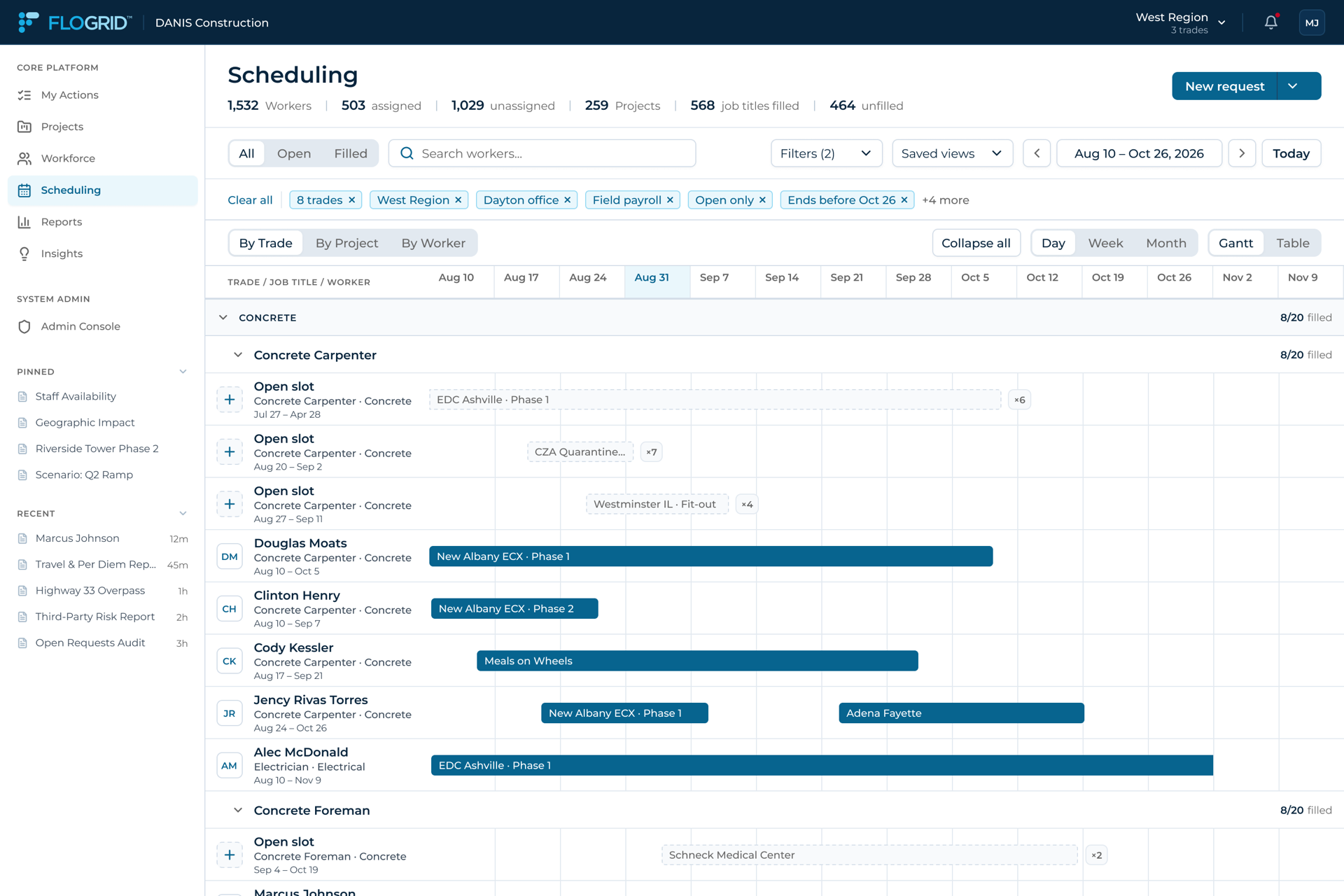
Scheduling: open slots above workers
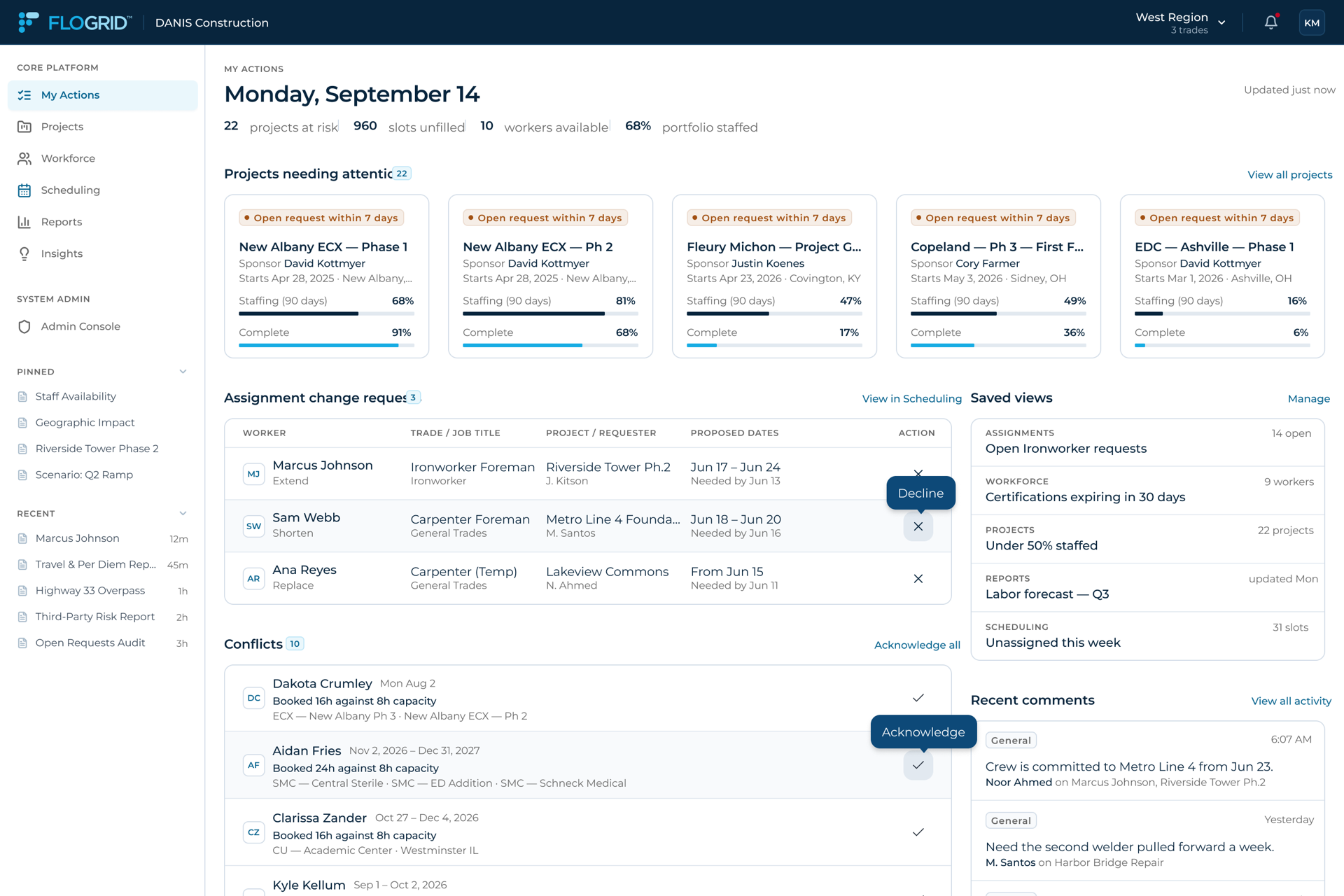
My Actions: two mornings, two screens
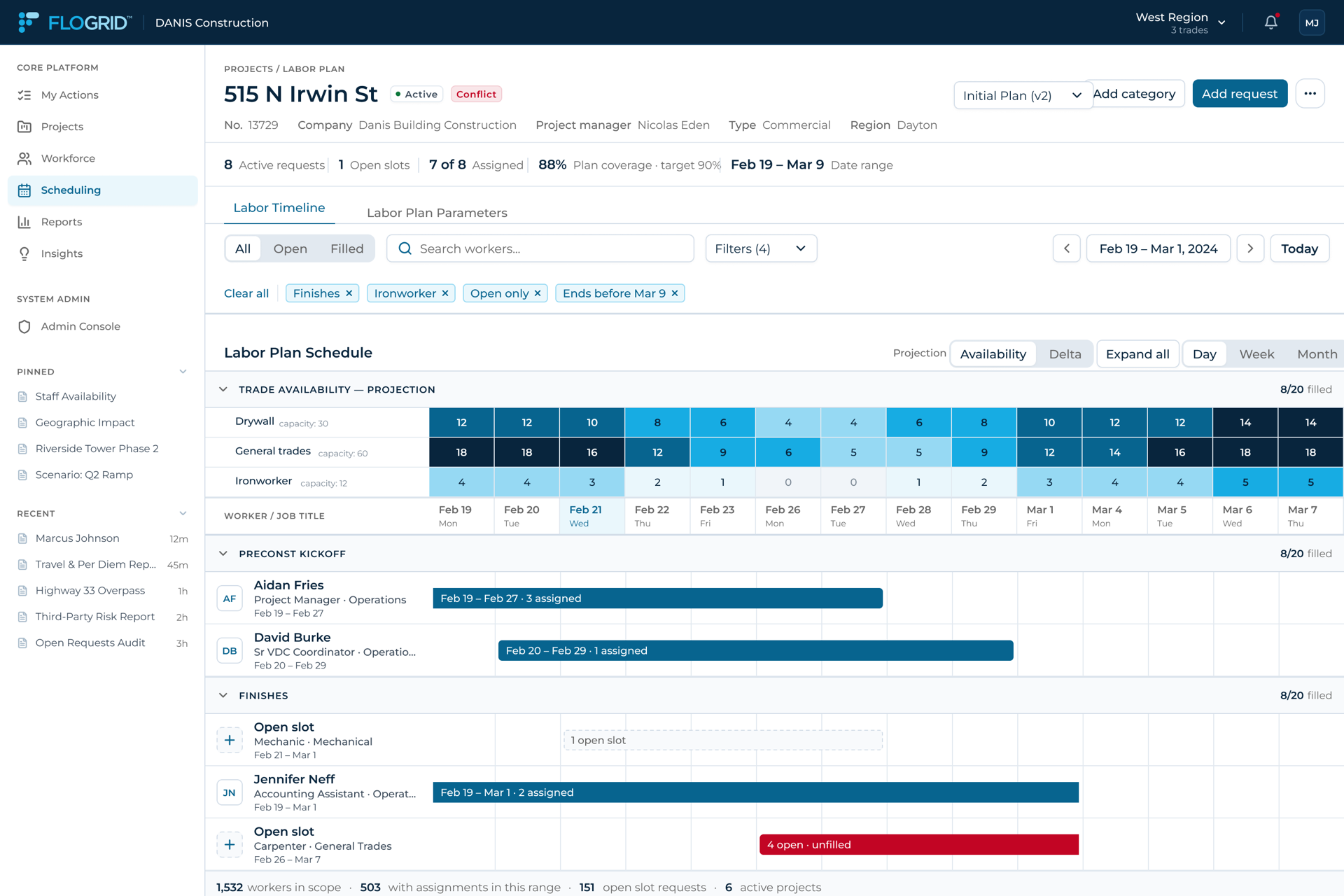
Labor plan: can we afford to say yes?
Notes
Specs are the design now. My notes before and after the course.
I took NN/g's course on writing specs for AI-built products. Here's what I thought going in, and what stuck after.
Trying Figma's code layers: I wish I'd had this last month
I tested Figma's new code layers on this site and on a client project. Some quick thoughts, written while I was still clicking around.
I set out to prove a theory about AI. A teammate made it better.
What I learned researching how AI is changing the way software gets made, including the research mistakes I'd fix next time.